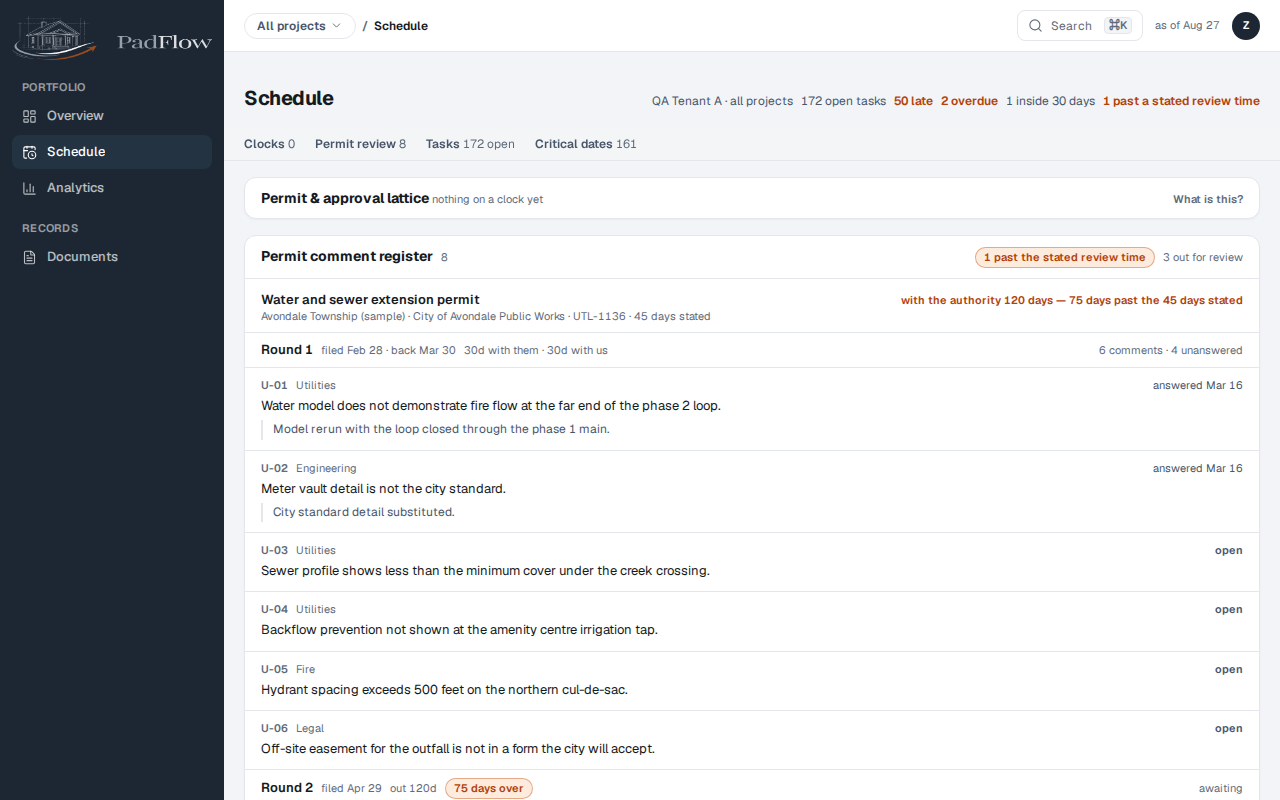
Read the portfolio schedule
Every project's critical dates and tasks on one page, ordered by how soon they land.
The portfolio schedule is every project's clocks on one screen. It answers one question: what lands next, and on which deal, without opening each project in turn.
Two lists sit on the page. Critical dates are the dated obligations a deal hangs off: a plat recording, a bond expiry, a takedown. Tasks are the work between them. Both are ordered by how soon they fall, not by project, so the top of the page is the next thing that needs somebody.
What the columns mean
Each row carries the date it lands, how close that is, and the rule it was derived from. A date that reads as a rule rather than a typed value, plat + 30 business days, moves on its own when the thing it depends on moves. That is the anchor cascade, and it is why a slipped approval does not need a person to retype a schedule.
Anchors themselves are not on this page. An anchor only means something inside the project it belongs to, so you move one on that project's schedule and watch the effect arrive here.
Who can
- Schedule & dates at view or better: anyone who can see the schedule.
How to
You open this when the question is what is due next, across every project at once.
- Schedule with All projects selected is every project's clocks on one screen. This tab reads two ways, and Switch project decides which.
- Every project's dated obligations, soonest first, cut by category. Not grouped by project, on purpose.
- The work between those dates, ordered the same way.
- Switch project is the twin of this page. Pick a deal and the same tab is that project's own schedule, cut to one deal.
- Anchors live inside a project. Open one to move a date and watch the rest follow.
Related pages
Known limits
The page previews a limited number of rows per project and then links into that project's own schedule for the rest. Sorting is by date, and there is no column sort on this screen.